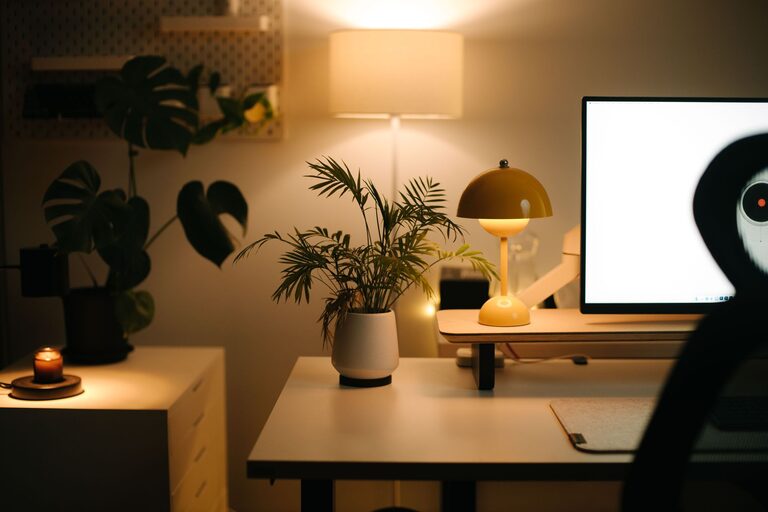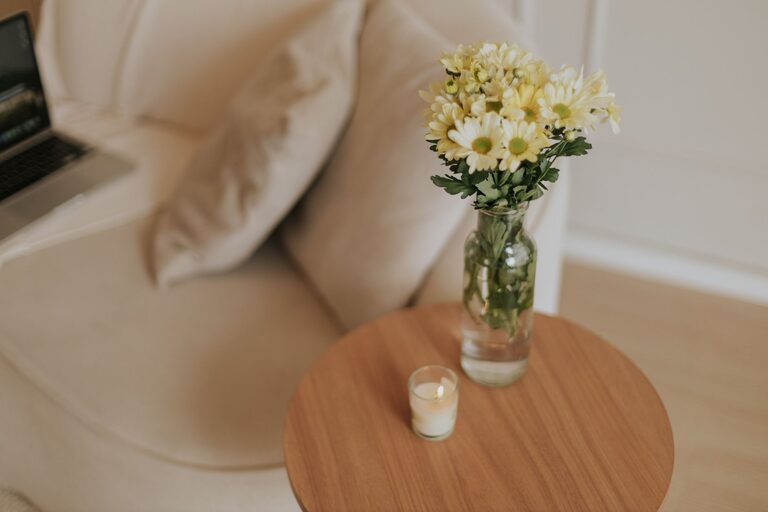
Creating a home workspace that feels cozy yet productive can make a significant difference in your daily work routine. Whether you work remotely, run a small business from home, or need a dedicated spot for personal projects, crafting an environment tailored to both comfort and efficiency is key. Below are practical tips to help you set up a home workspace that supports focus and well-being.
Choose the Right Location
Finding the ideal spot for your workspace is the foundation of a productive setup.
– Consider natural light: Set up near a window if possible. Natural daylight improves mood and helps reduce eye strain.
– Minimize distractions: Pick a quiet corner away from household traffic or noises.
– Define your space: If you don’t have a separate room, create a distinct zone in a shared area using rugs or furniture placement. This helps signal to your brain when it’s time to focus.
Invest in Comfortable Seating and Desk
Long hours at your desk require ergonomics to keep you comfortable and prevent fatigue.
– Ergonomic chair: Choose a chair with good lumbar support and adjustable features for height and tilt.
– Desk at proper height: Your desk should let you keep your arms at a 90-degree angle while typing, with feet flat on the floor.
– Consider standing options: Adjustable desks allow switching between sitting and standing, which can boost energy and reduce stiffness.
Optimize Lighting
Lighting plays a crucial role in reducing eye strain and maintaining alertness.
– Use layered lighting: Combine natural light, overhead lights, and focused task lighting like a desk lamp.
– Adjust brightness: Avoid overly harsh or dim lighting. Soft, warm lights create a cozy atmosphere while bright enough for work.
– Prevent glare: Position screens and lighting to minimize reflections and glare on monitors.
Organize with Storage and Declutter
A tidy workspace can enhance concentration and lower stress.
– Use storage solutions: Shelves, drawers, and organizers keep supplies orderly and within reach.
– Declutter regularly: Remove unnecessary items from your desk daily to maintain a clean environment.
– Personal but minimal: Keep a few personal touches like photos or plants, but avoid overcrowding your area.
Personalize Your Workspace
Adding small comforts makes your workspace inviting and uniquely yours.
– Incorporate plants: Greenery improves air quality and adds a calming natural element.
– Choose calming colors: Soft, neutral tones can make the space feel restful and less distracting.
– Use inspiring decor: Motivational quotes, artwork, or meaningful objects can boost your mood.
Manage Technology Efficiently
Technology is essential but can also lead to clutter or interruptions.
– Cable management: Use clips, sleeves, or ties to keep cords neat and out of the way.
– Quality peripherals: Invest in a good keyboard, mouse, or headset for comfort and ease.
– Limit digital distractions: Use apps or settings to mute notifications during focused work periods.
Set Up for Productivity
Beyond comfort, your workspace should encourage effective working habits.
– Create zones: If space allows, designate areas for different tasks like computer work, reading, or brainstorming.
– Keep essentials handy: Have your most-used supplies and tools easily accessible.
– Use a planner or whiteboard: Visual reminders of tasks and goals help maintain focus and organization.
Maintain Your Workspace
A cozy and productive environment requires ongoing effort.
– Daily tidying: Spend a few minutes at the end of each day to reset your space.
– Regular review: Reflect on what’s working or not, and adjust your setup as needed.
– Upgrade gradually: Invest in better equipment or decor over time as your needs evolve.
—
By thoughtfully designing your home workspace, you can create a balanced environment that supports both comfort and productivity. With small adjustments and attention to detail, your workspace will become a place where you enjoy spending time and accomplish your goals efficiently.